
Less on roaming data.
More for your travels
20% off all destinations
- Scheduled period of time
Wide range of data you need
- Chose now from Tgtesim
Travel more completely, more enjoyable
- 5G/4G Unlimited Data
Support eSIM in 150+ Countries
Why Travelers Choose TgateSIM
Zero Roaming Fees
Enjoy transparent, honest pricing with absolutely no surprise charges.
Affordable Price
Spend less on data and more on what truly matters—your travel experience.
Quick Activation
Scan the QR code and get online in minutes. It's that simple.
Environment
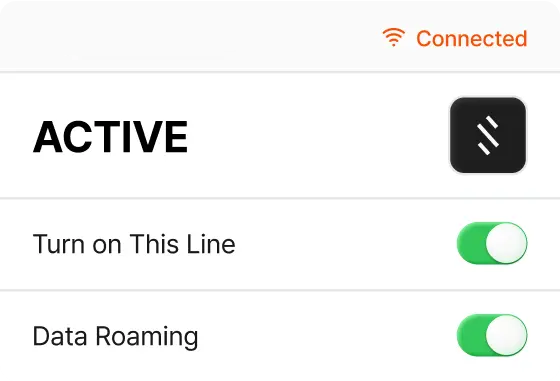
Activate instantly and
go online right away.
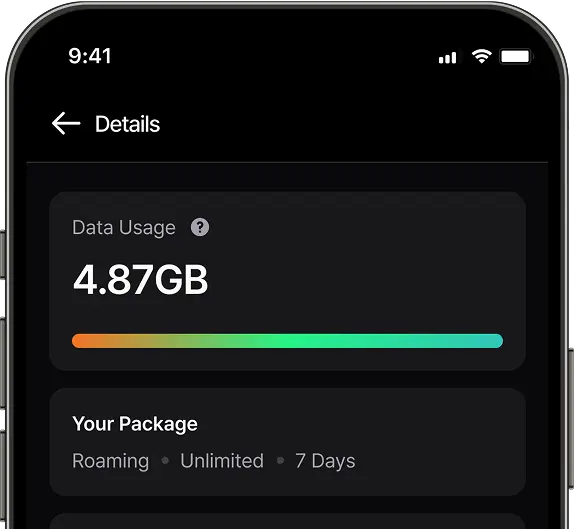
Check Data Usage
No more running out of data.
Frequently Asked Questions (FAQ)
What is an eSIM?
eSIM is a digital SIM card that enables you to connect to mobile networks without needing a physical card. You can keep multiple eSIMs, allowing access to various carriers, phone numbers, and data plans—perfect for travel or daily use. Just activate it on your device, and you’ll be online in minutes.
Can I use Hotspot/Tethering?
There may be some restrictions depending on the local service provider, but in general, Superalink eSIMs support data sharing with other devices. You can check the destination’s description in advance before purchasing.
Is the eSIM activated immediately upon scan the QR code?
No! Superalink eSIM activates once you connect to the local network at your destination. You can set it up 2–3 hours before your departure, then simply turn on data roaming when you arrive to get connected instantly.
When should I set up my eSIM?
We recommend activating your eSIM 2–3 hours before your trip. Please note that you must be connected to Wi-Fi or mobile data during the setup process, as an internet connection is required to install and activate it.
How do I set up Superalink eSIM on my device?
Please follow the step-by-step guide below, or visit our full guide here.
- After purchase, you’ll receive a QR code by email.
- On your phone, go to Settings > Mobile/Cellular Data > Add Data Plan and scan the QR code.
- Name the plan and keep both your provider’s plan and Superalink active.
- Once you arrive, turn on data roaming and activate the Superalink plan.
Every Superalink eSIM includes complete setup instructions for various device (Apple, Samsung, and more.)
Does Superalink eSIM come with a phone number for calls or messaging?
No, Superalink eSIM is designed for high-speed internet only. The good news is you can keep your own phone number and all your contacts, so you can stay connected through WhatsApp, iMessage, or your favorite apps while enjoying reliable data abroad.
Can I check the data usage?
You can check it through our website by accessing the My Voucher page and clicking on 'Check Data Usage.' Alternatively, you can contact our customer support for assistance.
When will I receive my eSIM?
Superalink will send your eSIM immediately after payment. You’ll receive a confirmation email with a QR code and step-by-step activation instructions. And for your convenience, the details will also be sent via WhatsApp. If you don’t receive the email, please contact our customer support team for prompt assistance. Contact Customer Support
How can I verify that my Superalink eSIM is connected?
You can check the connection status of your Superalink eSIM by navigating to the Settings menu on your device. Look for the 'Cellular' or 'Mobile Data' section to view information about your eSIM connection.
What happens to unused data after the plan expires?
It is a product valid for the period selected at the time of purchase, Any unused data will expire once the plan period ends.
My internet speed slowdown suddenly, What should I do?
For unlimited data plan, it will be happened if you consume the data more than the daily quota of your unlimited package. Then Fair Usage Policy (FUP) will activate in that case. Don’t worry, it will be normal again right after reset time arrive on the next day
Can I use an eSIM with a locked phone?
No. Your phone must be unlocked to use a Superalink eSIM. If your device is locked, please contact your carrier to request an unlock before installation.
Is my phone unlocked to use an eSIM?
Only unlocked devices are compatible with eSIMs. Please check if your phone is unlocked before purchasing an eSIM. Please refer to the following content.
What does it mean for a device to be unlocked?
Phones use networks to make calls and use mobile data. An unlocked phone can connect to any network. If a phone is locked, it can only connect to a specific network, and a new SIM or eSIM card will not work.
How to check if your phone is unlocked
1. Try using another SIM card.
The easiest way to check if your phone is unlocked is to borrow a SIM card from a friend or family member. If you can make calls or send texts with another SIM card, your phone is unlocked.
2. You can check the lock status on iPhones.
On iOS 14 and above, you can check the following:
- Go to Settings → General → About.
- Scroll to the bottom and look for Carrier Lock or Network Provider Lock. If it says ‘No SIM restrictions’, it means the iPhone is unlocked and compatible with eSIM. Otherwise, the iPhone is locked to a specific carrier.
- How to unlock your device
You can check with your carrier to see if your phone is unlocked. The carrier can also assist in unlocking the phone.
Why am I receiving text messages from abroad when activating an eSIM?
You may occasionally receive SMS messages in a foreign language from unknown numbers while using an eSIM. These are sent by the supplier of the eSIM product, and there is no need to worry.
You may receive messages in Chinese when the eSIM is activated.
Some of our eSIMs are partnered with CMHK, a network provider in China. The received messages are automatically sent when the eSIM is activated. Since we can't know the language of each user, these messages are written in Chinese by default. There is no need to worry as they are welcome messages.
If you have any questions, please contact us via web chat or help@esimapp.topwebsol.com.
How do I activate an eSIM on an iPhone?
Follow these steps to set up your Superalink eSIM:
- Scan the QR code.
Open your camera and scan the QR code. The activation process will start automatically. Tap Continue.
If scanning doesn’t work, use the manual entry code provided in your email.
- Verify and confirm.
Once the eSIM is verified, tap Done.
- Name your eSIM.
Choose a label like “Travel”, “Secondary”, or “Cellular Data” and tap Continue.
- Set your Default Line.
Select Primary to keep receiving calls and messages on your existing number. Tap Continue.
- Keep iMessage and FaceTime on your number
Select Primary again to continue using iMessage and FaceTime with your current number. Tap Continue.
- Set up Cellular Data.
Choose the eSIM for data. To avoid roaming charges, turn off Allow Cellular Data Switching, then tap Continue.
If you’re not traveling yet, you can leave this as default.
Which mobile devices are compatible with Superalink eSIM?
Tgatesim eSIMs work with a wide range of newer smartphones and tablets, including models from Apple, Samsung, Huawei, and Oppo. To be sure, please check compatibility with your device manufacturer.
How do I delete a Superalink eSIM?
To remove a Superalink eSIM from your device, access the Settings menu and locate the 'Cellular' or 'Mobile Data' section. From there, manage your eSIM profiles and select the eSIM you wish to delete. Follow the prompts to complete the removal process.
Can I run the existing SIM card and Superlink's eSIM simultaneously?
Yes, some devices support the use of both eSIM and physical SIM cards simultaneously, allowing you to switch between them as needed. However, not all devices offer this capability, so it's essential to check your device's specifications.
Can the eSIM be reactivated after deleting it?
It can be reactivated on the same device. However, it cannot be reactivated on a different device.